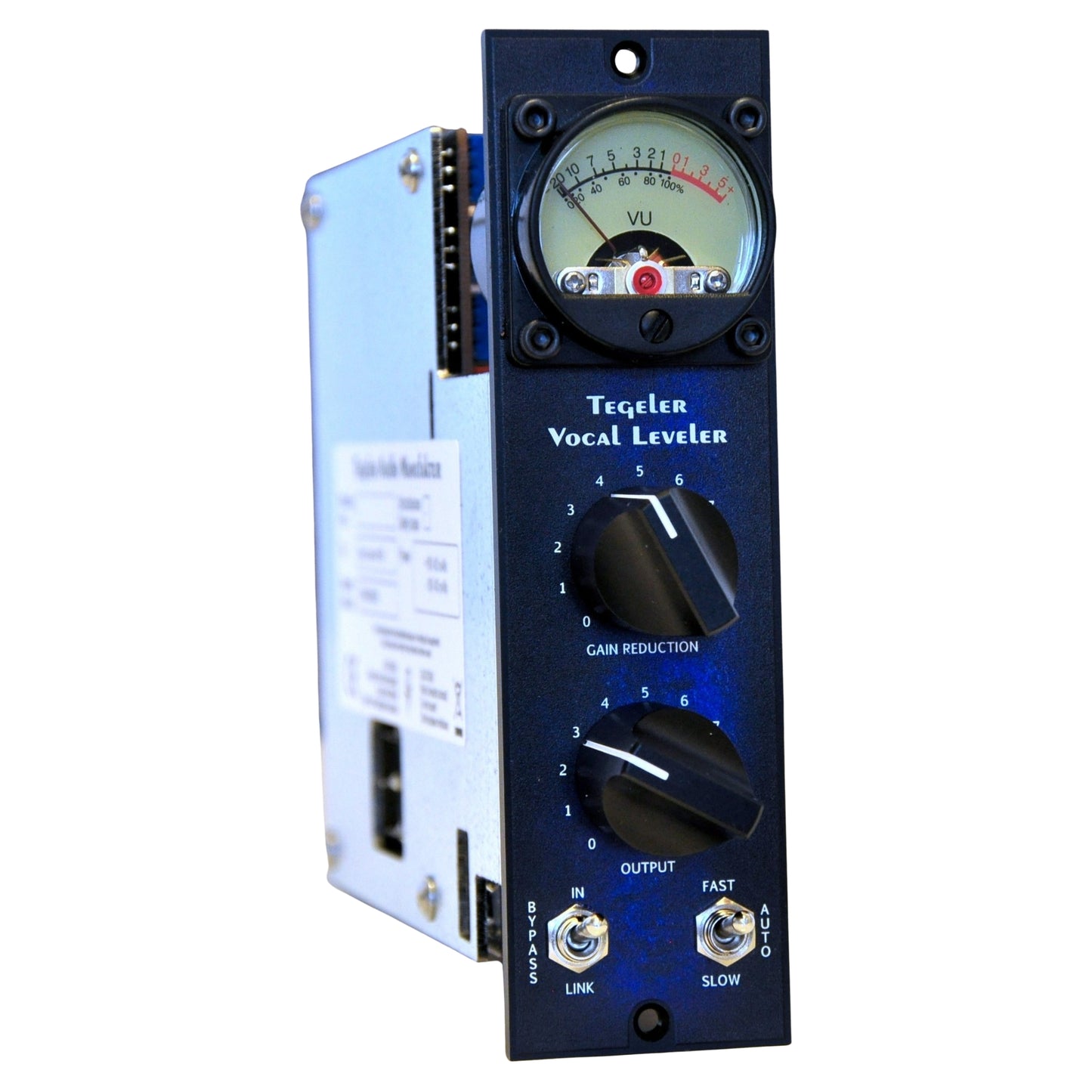


Tegeler Vocal Leveler 500 500er Opto Compressor
The Tegeler Vocal Leveler 500 500er Opto Compressor gives your recordings a smooth, polished sound without making compression complicated. Designed for the popular 500 Series format, it helps control loud and quiet parts naturally while adding a warm, rich character to your audio. Whether you're recording vocals, bass, or acoustic guitar, this compact unit makes it easy to achieve professional sounding results with just a few simple controls.
Tegeler Vocal Leveler 500 500er Opto Compressor Review
Built around Tegeler's proven optical compression design, the Tegeler Vocal Leveler 500 500er Opto Compressor delivers transparent gain control that keeps your performance sounding natural. An input transformer adds subtle harmonic warmth before the signal reaches the optical compressor, while the FET output stage provides a smooth, tube inspired finish. With selectable attack and release settings, stereo linking, and up to 12 dB of gain reduction, it is equally comfortable in the studio for tracking or mixing.
Tegeler Vocal Leveler 500 500er Opto Compressor Features
- Smoothly controls volume changes while keeping performances natural
- Adds warm, musical character that brings recordings to life
- Simple controls make it quick and easy to dial in great results
- Great for vocals, bass, acoustic guitar, and many other instruments
- Stereo link mode lets two units work together for stereo recordings
- Compact 500 Series design fits neatly into compatible racks
Tegeler Vocal Leveler 500 500er Opto Compressor Specs
- API 500 Series mono optical compressor module
- Frequency response 20 Hz to 22 kHz
- Maximum input level +20 dBu
- Maximum output level +21 dBu
- Operating level +4 dBu
- Dynamic range 100 dB
- Maximum gain reduction 12 dB
- Input impedance 2.4 kΩ or higher
- Output impedance below 600 Ω
- Power requirement ±16 V
- Weight approximately 1.19 lb
- Gain Reduction and Output controls
- Three position switch for In, Bypass, and Stereo Link
- Three position Attack and Release settings with Fast, Auto, and Slow modes